 David William
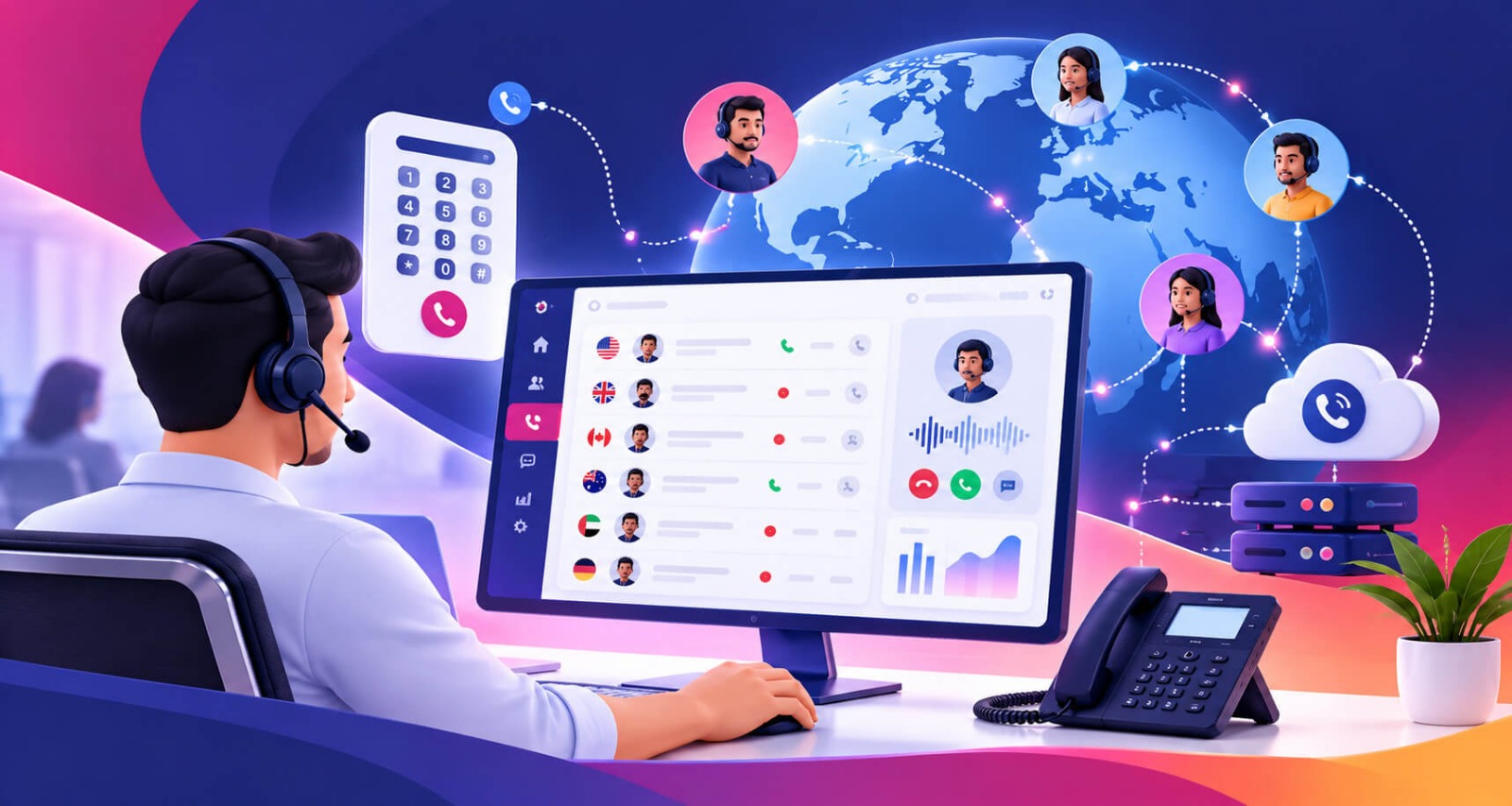
 A contact center solution helps businesses manage customer interactions across multiple channels, including phone calls, email, live chat, SMS, and social media. It brings communication tools into one platform, helping teams respond to inquiries, resolve problems, and improve customer satisfaction.
In 2026, modern Omnichannel contact center use cloud technology, intelligent call routing, automation, and artificial intelligence (AI) to improve customer service. These tools help businesses increase agent productivity, monitor performance, and deliver consistent customer experiences.
A contact center solution is a software platform that helps businesses manage customer communications across multiple channels from one centralized system. It includes tools for call routing, agent management, customer data, automation, and performance reporting.
Unlike traditional phone systems, Customer service solutions support voice and digital interactions, depending on the platform. Businesses use them for customer support, sales, technical assistance, and service inquiries.
For example, when a customer contacts a company, the system can direct the inquiry to the appropriate department or available agent. If integrated with a customer relationship management (CRM) system, it can also provide relevant customer information.
Tozcall Contact center solutions generally come in three forms:
The right option depends on a company’s budget, security requirements, workforce, and communication needs.
Real-time contact center analytics helps businesses organize customer communication, improve service quality, and manage support operations efficiently. It gives agents and managers better tools to handle inquiries and understand customer needs.
Customers expect quick responses and helpful solutions. Intelligent routing and customer interaction history help agents handle inquiries efficiently and reduce unnecessary transfers.
Customers may prefer phone calls, emails, live chat, or social media. A AI-powered contact center brings supported channels together, helping agents manage interactions through a more organized workflow.
Automation, customer information, and centralized communication tools reduce repetitive tasks. Agents can spend more time resolving customer problems instead of searching for information or transferring inquiries.
Self-service options and automated workflows can reduce manual work and improve resource utilization. Cloud-based platforms may also reduce the need for extensive on-site infrastructure, depending on the business’s existing systems.
Cloud contact center solutions allow authorized agents to work from different locations. Managers can monitor activity, distribute workloads, and coordinate teams without requiring everyone to share a physical office.
Reporting tools help businesses track average handling time, missed calls, customer satisfaction, and first-contact resolution. These insights allow managers to identify problems and improve service processes.
A contact center solution manages customer interactions through a series of connected steps. The exact process depends on the communication channel, platform features, and business configuration.
A customer calls the business, sends an email, starts a live chat, or uses another supported communication channel. The system receives the interaction and identifies its channel.
Depending on the setup, the platform may collect a business phone number, account details, or information about the customer’s request.
Interactive voice response (IVR) technology can guide callers through menu options to identify the department or service they need.
Automatic call distribution (ACD) and routing tools direct interactions to suitable agents or departments. Routing rules may consider agent availability, language, skills, or the type of inquiry.
This process helps reduce unnecessary transfers and improves workload distribution.
The assigned agent receives the interaction through the contact center interface. CRM integration may display customer details, previous conversations, and open support tickets.
With this information, the agent can provide relevant answers and personalized assistance.
Depending on the platform, automation can create support tickets, send confirmation messages, record interaction details, or answer common questions.
AI-powered features may provide conversation summaries, suggested responses, and speech analytics. Human agents remain essential for complex or sensitive issues.
The platform may record interaction details, update customer records, and generate reports. Managers can use these insights to evaluate agent performance, monitor service quality, and identify recurring problems.
Businesses review performance data and customer feedback to improve workflows, update training, and address service gaps. This continuous process helps contact centers adapt to changing customer expectations.
A contact center solution provides several benefits that help businesses improve customer experience and manage communication more effectively.
Omnichannel capabilities help businesses manage conversations across supported channels. This creates a more consistent customer experience and allows customers to choose their preferred communication method.
Intelligent routing directs calls to appropriate agents based on predefined rules. It can reduce transfers, improve response times, and connect customers with employees who have the right skills.
AI can support virtual agents, automate repetitive tasks, summarize conversations, and suggest responses. These capabilities help teams handle routine inquiries while focusing human attention on more complicated requests.
Supervisors can review available dashboards and performance metrics to understand call volumes, agent workloads, and service quality. This information supports better staffing and operational decisions.
CRM and help desk integrations give agents access to relevant customer information. This helps teams maintain consistent communication and reduces the need for customers to repeat their concerns.
Cloud-based Virtual number contact center can make it easier to add agents, expand communication channels, and support growing customer demand. Businesses should still consider licensing costs, integrations, and infrastructure requirements.
A centralized interface and automated workflows simplify daily tasks. Agents can access relevant information more quickly and focus on providing useful customer support.
Call recording, transcription, and interaction monitoring features can help managers evaluate service quality and identify training needs. Businesses should follow applicable privacy laws and recording requirements.
Performance reports reveal customer service trends, recurring complaints, and communication bottlenecks. Managers can use these insights to improve staffing, optimize workflows, and allocate resources effectively.
Choosing the right Automatic call routing requires understanding your business goals, customer expectations, and operational requirements.
Consider these important factors before selecting a platform:
Requesting a demonstration or trial can help you evaluate usability and compatibility before committing to a platform.
Its main purpose is to help businesses manage customer interactions across communication channels. It improves inquiry routing, agent productivity, reporting, and customer support.
A call center primarily handles telephone calls, while a contact center can manage calls alongside email, live chat, SMS, and other digital channels.
Pricing depends on the provider, number of agents, features, usage, and integrations. Businesses should compare subscription fees, setup costs, and additional charges before choosing a platform.
Yes. Small businesses can use these solutions to organize customer inquiries, improve response times, and support growth. Cloud-based platforms may offer flexible options for smaller teams.
AI can automate routine inquiries, summarize conversations, analyze speech, and suggest responses. These features can improve efficiency when implemented with appropriate human oversight.
A contact center solution helps businesses centralize customer communication, improve service quality, and manage support operations more efficiently. Features such as intelligent routing, omnichannel support, CRM integration, reporting, and AI automation can improve both customer and agent experiences.
In 2026, businesses should select a solution that matches their budget, security requirements, and growth plans. The right platform, combined with regular performance monitoring, can help build a more responsive and effective customer service operation.